
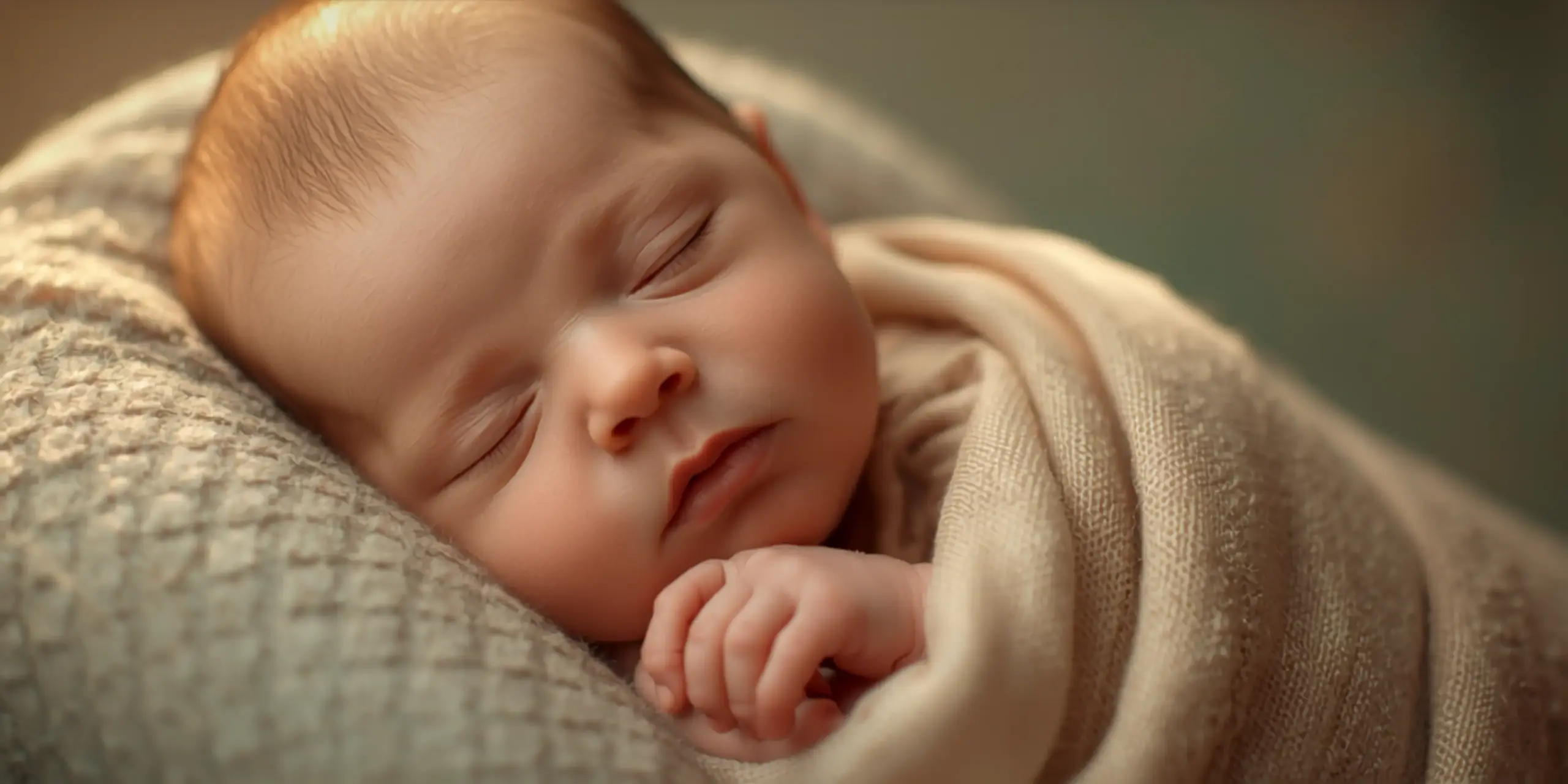
One of the most sensitive and fulfilling specialty in portrait photography is newborn photography. Parents trust photographers to capture the initial days and weeks in a way that will last a lifetime. However, it takes more than half the effort to get the shot. The other half takes place in post-production, where meticulous, restrained editing turns unprocessed photos into gallery-caliber pictures that families will treasure for years to come.
Retouching photos of newborns is not the same as editing headshots or wedding images. Until they have their first baby session, most photographers don’t realize how little, delicate, and visually intricate the subject is. Every stage of the editing process necessitates a lighter touch and a deeper awareness of what newborn skin actually looks like, from blotchy skin and redness to composite safety concerns and color grading for that trademark soft, creamy look.
Everything infant and family photographers need to know is covered in this article, from batch editing techniques and handling parent expectations to skin tone correction and blemish removal. This comprehensive guide provides you with a clear understanding of what baby photo retouching actually entails, whether you edit your own sessions or are thinking about outsourcing to a professional service like Photodotedit.
What Sets Newborn Photo Editing Apart
Knowing why newborn photo editing differs from other portrait retouching is important before opening a single file.
The Subject Cannot Be Directed
A photographer can request a slight head tilt, a different expression, or improved posture from adult or child subjects. It is impossible to guide a newborn. You work with what you capture. This increases the pressure on post-production to correct skin variances, weird color casts, and inconsistent lighting that could have been fixed on set with a relocated subject.
Newborn Skin Is Not Adult Skin
The skin of newborns is extremely reactive, transparent, and thin. Warmth causes it to flush crimson, cooling causes it to reveal blue-purple tones, it mottles easily, and it bears transient scars from birth or the first few weeks of life. All of these situations are common and transient, but they take striking pictures. In a well-exposed photo, an infant who appeared healthy in person may appear to have serious skin problems.
The Standard Is Natural, Not Perfect
Achieving immaculate perfection is not the goal of baby photo editing, in contrast to beauty or fashion retouching. Reducing distracting transient flaws while maintaining the baby’s appearance as a real, healthy newborn is the aim. One of the most frequent errors made by photographers and editors during newborn sessions is over-editing. The editing ought to be undetectable.
This type of subtle, organic retouching is what Photodotedit specializes at. Their editing staff primarily tries to address the transient situations that detract from the baby’s true appearance.
Newborn Skin Tone Correction: Mottling, Jaundice, and Redness
The most technically challenging aspect of editing baby photos is skin tone correction. There are three main issues with newborn skin, and each is managed differently.
Correcting Redness
During the first several weeks of life, practically all newborns have red skin. It results from the physical strain of childbirth, exposure to temperature fluctuations, and undeveloped circulatory systems. This redness may appear overdone in images, particularly those shot in warm studio lighting.
The conventional method involves using Photoshop or Lightroom to make a targeted Hue/Saturation adjustment that deliberately lowers the saturation of the red and orange channels in regions where redness is prevalent. Working with layer masks is crucial to keeping fixes localized. Reds that are globally desaturated will make the baby appear drab and unnatural. Each modification needs to be specific.
Correcting Jaundice Tones
Newborns frequently experience jaundice, especially during the first one to two weeks of life. Under some lighting situations, it produces a yellow-orange cast on the skin that is quite visible in photos. In order to restore warmth to normal skin tones, color correction for jaundice entails selectively lowering the yellow channel and modifying the white balance.
Knowing what healthy infant skin looks like at baseline is essential to correcting jaundice. Overcorrecting causes skin to take on a washed-out, cold, or gray tone that is equally incorrect.
Correcting Mottling
Another common problem in neonates is mottled skin, which is characterized by spots of light pink or red that emerge in an uneven pattern. Temperature sensitivity and underdeveloped skin circulation are typically the causes. Mottling can be disturbing in pictures because it produces an uneven, blotchy tone throughout the body.
Frequency separation is the most effective method for mottling. An editor can smooth out uneven tone patches while preserving the skin’s natural texture by working on the low-frequency (color and tone) layer separately from the high-frequency (texture) layer. Compared to simple healing brush work alone, this more sophisticated method yields noticeably more natural results.
Removing Cradle Cap, Scratches, and Temporary Skin Marks
In addition to their general skin tone, babies frequently have certain transient conditions and blemishes that are easily visible in pictures.
Cradle Cap
Many newborns suffer from cradle cap, a scaly, flaky skin disease on the scalp. Although it is transient and harmless, it makes a noticeable impression on photos, particularly when the baby’s head is the main focus of a posed portrait. The look of cradle cap can be lessened without flattening the scalp’s natural texture by using healing brush work in conjunction with cautious clone stamp application.
Scratches
Newborns often use their own fingernails to scratch themselves, especially around the face. Frequently, these scratches appear as little red lines on the forehead, nose, or cheeks. The mending brush is the best tool for isolated marks like these. The scratch is organically blended out using small, precise strokes that use the texture of the surrounding skin. Steer clear of using sweeping strokes that draw in mismatched texture from farther away.
Delivery Marks and Bruising
Some babies have markings from their placement in the womb, forceps, or vacuum delivery. These may consist of slight swelling, pressure marks, or bruises. Delivery marks are treated using a mix of texture blending to diminish the mark’s visible edge and color correction to lessen purple or red tones in the designated area.
Peeling Skin
It is common for babies, especially those born a little after term, to have peeling or flaking skin around their hands, wrists, and ankles. This peeling may be noticeable in close-up photos of a baby’s hands or feet. Once more, frequency separation offers the most natural correction in this situation, enabling tone smoothing without sacrificing the realistic skin detail that gives the picture a genuine feel.
The editing staff at Photodotedit often deals with each of these circumstances. Their method, which they characterize as employing the least amount of correction necessary to lessen attention without changing natural appearance, is just what newborn photography calls for.
Eye Editing: Cleaning and Brightening Without Over-Editing
In all portraits, especially those of newborns, the eyes are the emotional focal point. However, compared to adult portraiture, altering a newborn’s eyes demands a great deal of control.
What Newborn Eyes Actually Need
Due to delivery, newborn eyes are frequently partially closed, somewhat swollen, or exhibiting minor redness. The sclera, or whites of the eyes, may initially have a pinkish hue from inflammation or a small yellow tint associated with mild jaundice. These are the places that call for mild repair.
When combined with a disguised Hue/Saturation adjustment, a slight decrease in sclera redness or yellow can clean up the eyes without making them appear artificial. The objective is not dramatic, but healthy.
What to Avoid
Steer clear of severely sharpening infant irises or adding artificial catchlights that weren’t there in the original picture. Attempting to make newborn eyes appear more dramatic usually just makes the retouching more noticeable because they lack the sharp focus and expressiveness of adult eyes. One of the most obvious indicators of excessive manipulation in newborn photos is the addition of brilliant artificial catchlights to a sleeping baby’s eyes.
Reducing Puffiness
Newborns often have little puffiness around their eyes, which usually doesn’t need to be corrected. A very little dodge pass on the under-eye region can provide a bit of brightness without erasing the face’s natural contour if puffiness is very noticeable and distracting in a particular picture.
Composite Newborn Poses: Safety and Editing Workflow
In newborn photography, composite photographs are frequently used, especially for situations where a single capture cannot safely accomplish the final effect, such as the head-in-hands pose or the froggy pose.
Why Composites Are Necessary
Certain positions of newborns that appear to be a single natural photograph are actually the result of combining two or more different photos. One exposure with an adult supporting the infant’s head and another with the adult supporting the body are necessary for the froggy pose, for instance, in which the baby appears to be resting its chin on its hands. In post-production, the two photos are then combined.
This method is not a shortcut; rather, it is a safety necessity. It enables the photographer to strike the ideal stance while making sure the infant is always adequately supported.
The Editing Workflow for Composites
Choosing the two best source frames is the first step in composite newborn editing. The tripod must not be moved between photographs, and both photos must be taken from the same camera position. The adult’s hands and arms are eliminated from the finished picture by aligning the two layers in Photoshop and blending them smoothly with a layer mask.
The most important area is the mixing zone. When shooting, the lighting and white balance must closely match in order for the skin tone to be consistent throughout both source frames. To make the composite read as a single natural image if they don’t match, more color correcting is needed at the blending seam.
The assembled image undergoes the same skin retouching process once the basic composite is finished.
Color Grading for Newborn Galleries: Soft and Creamy Tones
A new gallery’s visual identity is derived from color grading. Soft, milky, warm tones that feel timeless and kind are the predominant aesthetic in infant photos. A methodical approach is necessary to get this appearance consistently during the entire session.
Building a Base Preset
The majority of novice photographers start with a basic Lightroom or Capture One preset that establishes their style’s global color profile. A common baby setting adds a soft fade along the tone curve, pulls the whites toward a warm cream tone, slightly lowers overall saturation, and lifts the shadows to lessen strong contrast.
This preset is used as a beginning point rather than a finished product for the full batch. Depending on the unique lighting circumstances in each frame, individual photos still require changes.
Skin Tones Within the Grade
Maintaining skin tones inside the stylized grade is the most difficult aspect of color grading for baby galleries. Skin can be pushed toward orange by a strong, warm filter. Newborn skin may appear gray or sickly due to a cold, fading grade. Instead of being applied on top of the skin tones, the grade must be constructed around them.
Consistency Across the Gallery
Tonal consistency is crucial when a parent looks through a gallery of 60 or 80 photos from their session. An image that appears noticeably warmer or colder than the others instantly highlights the editing instead of the infant. It is a usual procedure for professionals to review the whole gallery as a contact sheet before delivery in order to identify any photographs that have deviated from the session baseline.
Batch Editing Newborn Sessions: 30 to 100 Images
After culling, a typical newborn photography session yields between 30 and 100 final photographs. One of the most significant workflow issues in newborn photography is editing this volume consistently.
Setting a Global Baseline First
Lightroom or Capture One should be used to process the full batch before opening any images in Photoshop. Use the base preset, synchronize exposure and global white balance adjustments across the batch, and adjust exposure on an individual basis for frames that deviate noticeably from the session average. Every image is guaranteed to begin with the same basis thanks to this baseline effort.
Prioritizing Where Detail Work Goes
Not every picture in a gallery of newborns needs to be retouched to the same extent. The two or three showcase photos that will act as the gallery’s focal point and are probably going to be printed are known as hero photographs, and they should receive the most attention to detail. Basic retouching might be applied to supporting photos and lifestyle shots from the session. By setting time priorities in this manner, the editing burden is kept under control without compromising quality where it counts most.
The Case for Outsourcing Batch Newborn Editing
It takes 15 to 30 hours to edit 60 newborn images at an intermediate retouching level. That amount of editing rapidly takes up time that could be used for shooting, client communication, and business development for a photographer who does several sessions each month.
This kind of batch neonatal editing is handled by Photodotedit. Within a day, photographers receive fully corrected galleries after uploading their images and providing style references and editing notes. Starting at $1.50 per image, the service includes everything from basic color correction and skin smoothing to advanced retouching with composite work and intricate blemish eradication. You can make as many changes as you want until the final product reflects your preferred style. Outsourcing newborn retouching is a simple business choice for photographers whose production is increasing or whose editing backlog is already growing.
Parent Expectations: How Much Retouching Is Appropriate
Managing what parents expect from post-production versus what is truly suitable is one of the trickiest aspects of newborn photography.
What Parents Often Ask For
Significant skin smoothing, the removal of all visible marks, and occasionally more extensive alterations to the baby’s look are common requests from parents. Rather than being critical, these inquiries are motivated by love. Because they believe their child is flawless, parents want their child to look flawless.
Delivering pictures that parents adore while adhering to the rules of truthful, organic editing is the photographer’s job. This entails discussing retouching in detail, both when making the reservation and when delivering the gallery.
What Professional Retouching Should and Should Not Do
Professional baby retouching should address temporary distracting skin concerns, such as jaundice, mottling, redness, cradle cap and scratches that will fade in a few weeks. You shouldn’t radically change the baby’s appearance, erase birthmarks without a good explanation, or smooth the skin so much that it looks like a rendered illustration instead of a genuine baby.
Every edit at Photodotedit is driven by the idea of “enhancing without changing”. Each touch should honor the innate beauty of the infant and serve the image. This regulation also protects professional photographers. Parents may have uncomfortable conversations and misleading expectations when they compare the considerably edited photographs to their child’s actual appearance.
Setting Clear Expectations at Booking
The most successful thing to do is show samples of your retouching style before the shoot. This way, parents can see the quality of your editing and know what to expect. Add a note to your client guide that explains what constitutes normal editing and what does not, to help avoid any confusion at the time of delivery.
Get Your Newborn Gallery Retouched by Professionals
Retouching newborn baby photos is a discipline that rewards technical accuracy, patience, and restraint. The image should benefit from each edit. Every change ought to be imperceptible. Additionally, each final image should resemble the healthiest, most exquisite form of what was taken that day rather than something that was created in post-production.
Photodotedit provides a professional solution for photographers who wish to quit wasting their evenings in Photoshop and begin producing consistently stunning newborn galleries without the hassle of editing. It is a dependable post-production partner created especially for photographers, offering services ranging from basic color correction to sophisticated composite retouching, as well as infinite revisions till every image satisfies your style standard.
Get a free sample edit of your first newborn session photos to experience what expert newborn photo retouching looks like in your own work.
What is included in professional newborn photo retouching?
Professional infant photo editing often involves skin tone correction for redness, jaundice and mottling, removal of ephemeral flaws such as scratches and cradle cap, gentle cleaning of the eyes, background cleanliness and color grading to achieve a soft, unified effect across the gallery.
Is it possible to over-edit newborn photos?
Over-editing is one of the most common problems in newborn post-production. Children with excessive skin smoothing appear artificial. The goal is always a natural, subtle edit that doesn’t distract but also doesn’t change the baby’s appearance.
How long does newborn photo retouching take per image?
Each photograph requires from five to fifteen minutes of basic retouch. Intermediate retouching takes 15 to 30 minutes and involves targeted blemish removal and skin tone correction. High-end operations such as complex frequency separation and composite editing might take as long as 30 minutes per image.
Should I retouch my newborn sessions myself or outsource?
If you are shooting a lot of sessions a month and editing takes you longer than shooting, outsourcing is worth looking into. Photodotedit provides professional newborn editing at just $1.50 an image, with unlimited revisions, versus the time investment of doing it yourself at scale.
Does Photodotedit offer a free trial for newborn photo retouching?
Indeed. We offer free sample edits to prospective clients before they purchase a paid edit. This allows photographers to test out whether the editing style and quality is right for them before tackling complete sessions.